
How to Search Huron County Court Records
The broadest public tool is the statewide MiCOURT case search. It indexes civil, criminal, traffic, domestic, and probate cases from Michigan courts, so a Huron County user often lands on the same system as someone in another county. You can search by case number or by the name of a person in the case. The portal is open to the public at the MiCOURT case search page, and it works from any browser at no cost.
Gather a few details before you start. A full name or a case number gives the cleanest results. A date of birth, filing year, or court name helps trim a long list. The developer materials for the tool spell out the filters that back the public search.
The public look and behavior of the search service is described in the MiCOURT case-search documentation, which lists the query filters the statewide index accepts.
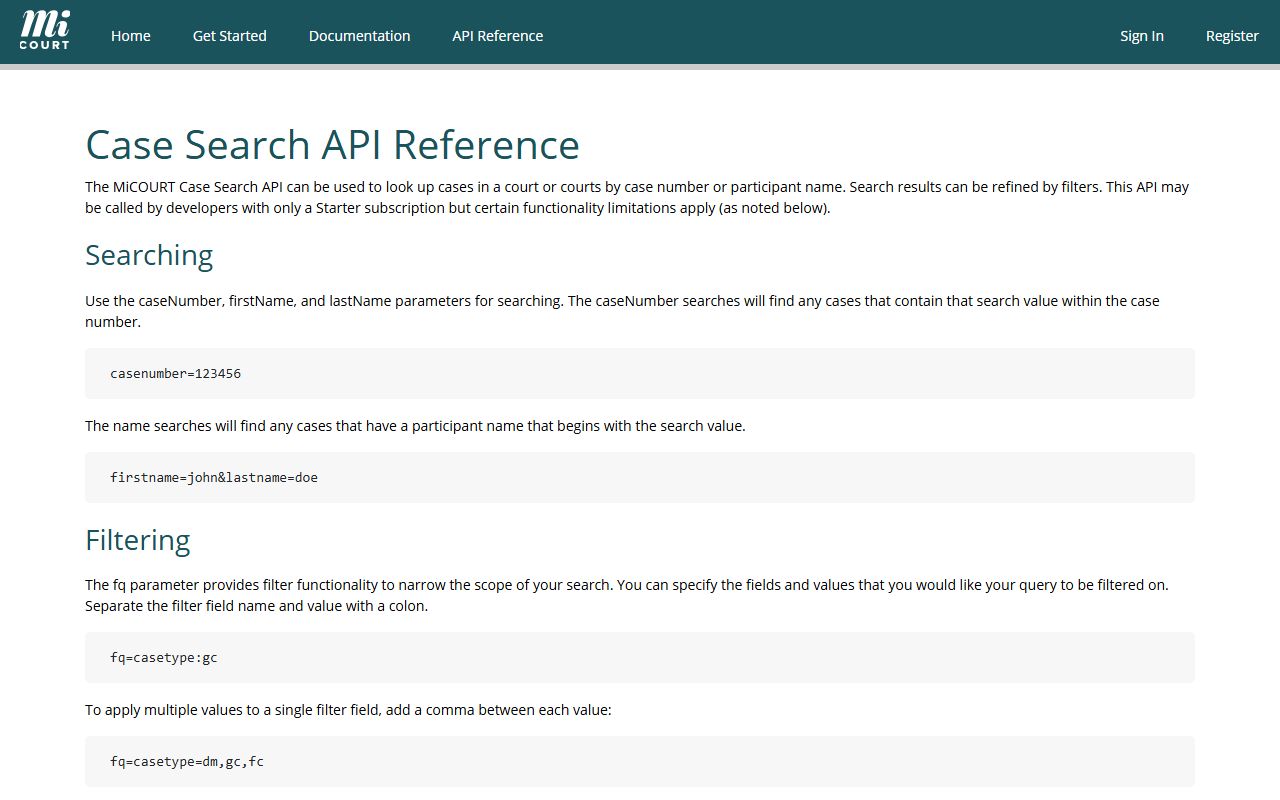
That reference confirms the search fields and date ranges a Huron County court records search can rely on. Work through the portal in this order.
- Open the statewide MiCOURT case search in a web browser.
- Choose to search by case number or by a participant's name.
- Type the last and first name, or enter the full case number.
- Narrow the list with filters for case type, year, status, judge, or a date range.
- Open a matching case to view its parties, filings, and status.
Huron County Court Records Search Fields
The statewide index gives you more than a single name box. The public search and its documented filters let you pin down a case by who is on it, when it was filed, what type it is, and how it was resolved. Most fields are optional, so you can start broad and add filters only if the result list is too long. The table below maps the main search inputs and how each one is used.
| Field Label | Type | Required | Notes / Format |
|---|---|---|---|
| Case Number | Text | No | Statewide case-number lookup. |
| First Name | Text | No | Paired with last name for a participant search. |
| Last Name | Text | No | Paired with first name for a participant search. |
| Case Type | Filter | No | Civil, criminal, traffic, domestic, or probate. |
| Case Year | Filter | No | Limits results to a filing year. |
| Case Status | Filter | No | Open or disposed cases. |
| Judge | Filter | No | Assigned judge on the case. |
| DOB | Date | No | Date of birth to separate like-named people. |
| File Date From / To | Date range | No | Filing window start and end. |
| Offense Date From / To | Date range | No | When the offense occurred. |
| Disposition Date From / To | Date range | No | When the case was resolved. |
| DLN / DLN State | Text / Dropdown | No | Driver license number and issuing state. |
| Plate / Plate State | Text / Dropdown | No | Vehicle plate number and state. |
Amount due, amount paid, and created or modified date filters round out the tool. Some expanded data and private-access views require added authorization, so the public search shows only what state rules allow.
Types of Huron County Court Records
The county's court files split across three trial courts, and each one keeps a distinct family of records. The District Court, based in Room 105 of the county building, handles misdemeanors, traffic, small claims, landlord-tenant cases, lower civil matters, and the magistrate work behind warrants and arraignments. The Circuit Court hears felonies, civil cases above the district limit, and family division matters. The Probate Court manages estates and guardianships. The county clerk processes many circuit court records and keeps vital records separately.
Because case types are split this way, the record you want lives with the court that heard it. Daily hearing schedules for those courts appear on the county court dockets pages, which are useful when you need the date, judge, or setting for a matter rather than a full file. The circuit court links its public docket display for the same purpose.
That public docket display for the county's felony and family cases is shown on the Circuit Court daily docket page.
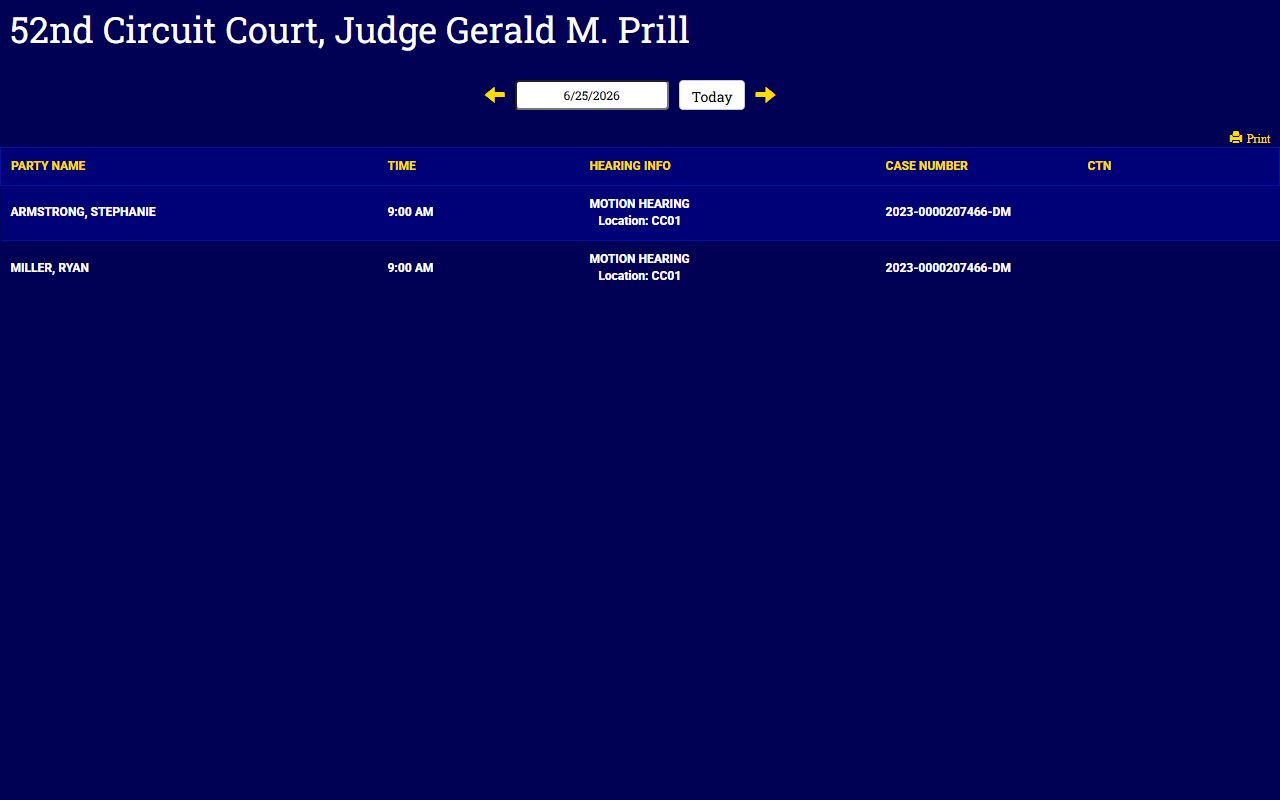
The docket view is built for schedule visibility, not the full case narrative. The common Huron County court record types include the following.
- Criminal case files for misdemeanors and felonies.
- Traffic citations and civil infraction records.
- Civil, small claims, and landlord-tenant records.
- Family division files such as divorce, paternity, and personal protection orders.
- Probate records for wills, estates, guardianships, and conservatorships.
What Huron County Court Records Show
A court record is built around the basic facts of a case. The county's request forms and the statewide index point to the same core fields, so you can expect a file to be indexed by party name, case number, and dates. Criminal files add the charge and its outcome. Civil and family files carry the cause of action and the judgment. The table below sets out the fields a typical case record shows and what each one tells you.
| Field | What It Shows |
|---|---|
| Case Number | The unique docket number the court assigns to track the file. |
| Filing Date | When the complaint, petition, or charge opened the case. |
| Parties | The people or entities in the case, such as the plaintiff, defendant, or petitioner. |
| Charges / Cause | The criminal charge, civil claim, or family petition at issue. |
| Disposition | How the case ended, such as a plea, verdict, dismissal, or judgment. |
| Sentence / Judgment | The penalty, order, or award the court entered at the close of the case. |
Not every portal prints every field. Sensitive personal data is trimmed under court rule, so a public entry may show the case and its outcome without full identifiers. The clearest read of a file comes from the register of actions, which lists each filing and order in date order.
Public Access Framework for Huron County Court Records
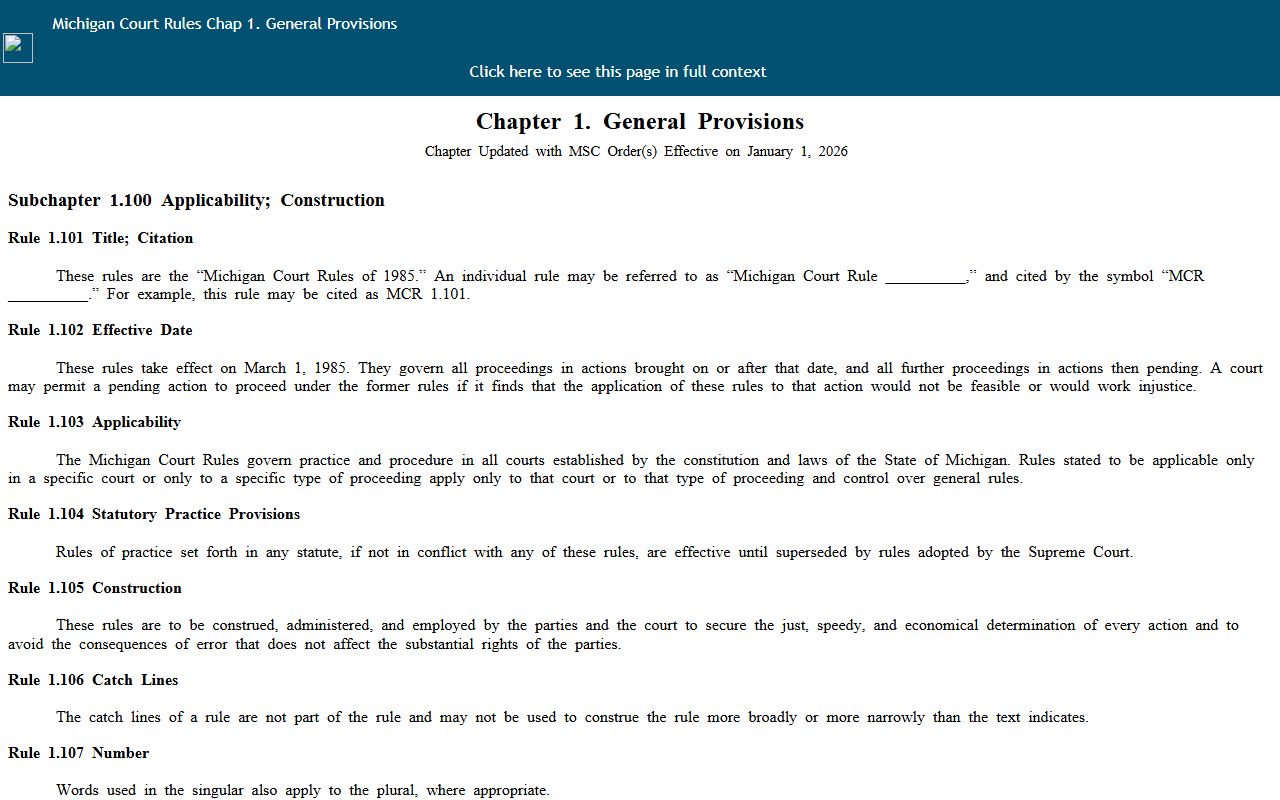
Court records in Michigan are open to the public by default, subject to court rules and a set of exemptions. The main rule set is the Michigan Court Rules, and Chapter 1 defines a court record and sets the public-access standard under MCR 8.119(H). The same rules protect sensitive fields such as dates of birth, Social Security numbers, driver license numbers, and financial account numbers, so a public file may be visible in general form with those fields redacted.
The record definitions and access provisions appear in Chapter 1 of the Michigan Court Rules.
Court records follow the court rules, while sheriff and other county-office records follow the Michigan Freedom of Information Act. FOIA sets a broad right to inspect and copy public records held by a public body. The right to inspect and copy is stated in MCL 15.233, part of the act that opens government records to any requester.
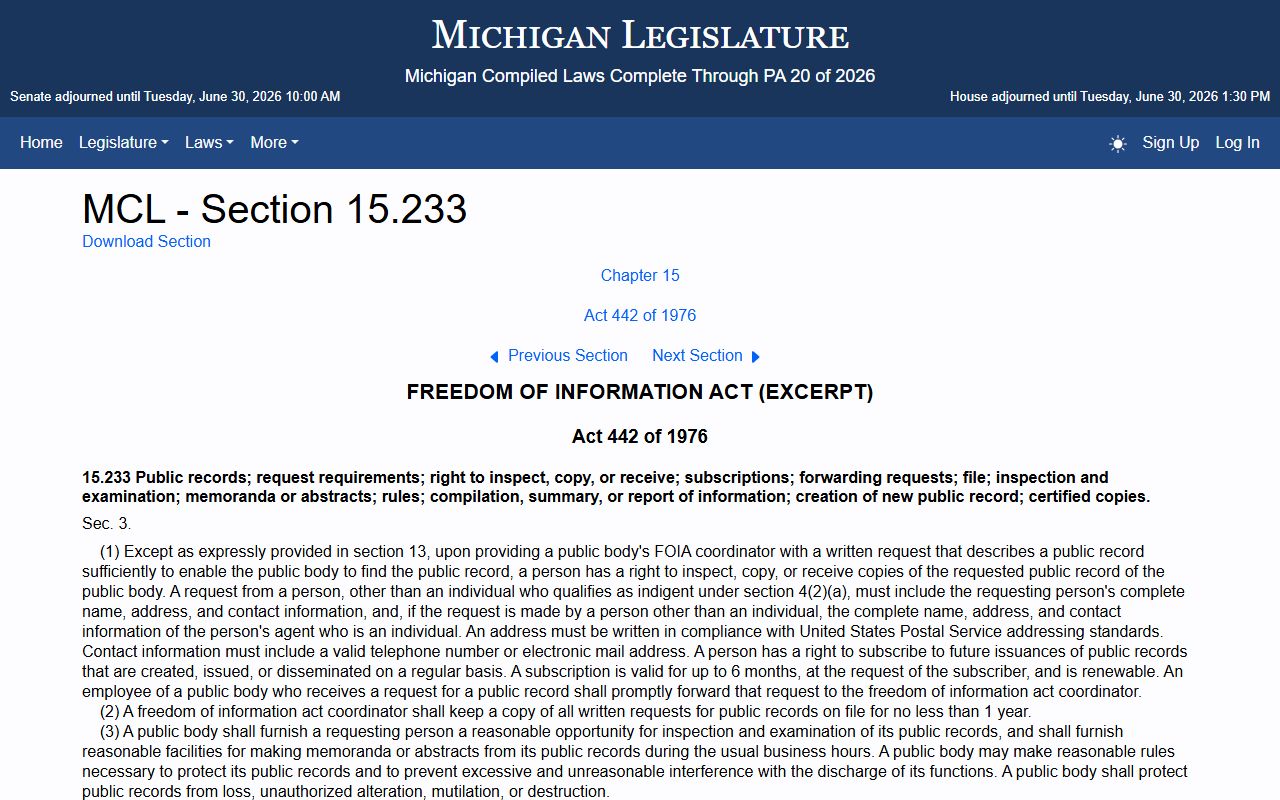
The image points to the statute that grounds the county's public-records duty. Fees follow the office. A record search runs $10, a plain copy of court documents costs $1 per page, and certified court copies run $15 plus $1 per page at the clerk. Anyone may request a public file, though non-public records carry stricter proof rules.
Note: Court records are public in general form, but Michigan court rules require the redaction of dates of birth, Social Security numbers, and financial account data.
Records That Are Sealed or Confidential in Huron County
Some records are closed even though most court files are open. The District Court states the rule plainly on its request form: a non-public record is not simply handed over. Access to a non-public record requires a statute, a court rule, or release by a party, plus court-verified identity. The signer must appear in person at the court, name the specific case, and authorize disclosure before the office will release it.
FOIA also carves out exemptions that let a public body withhold part or all of a record. Those exemptions are listed in MCL 15.243, which sets out the categories a county office may deny.
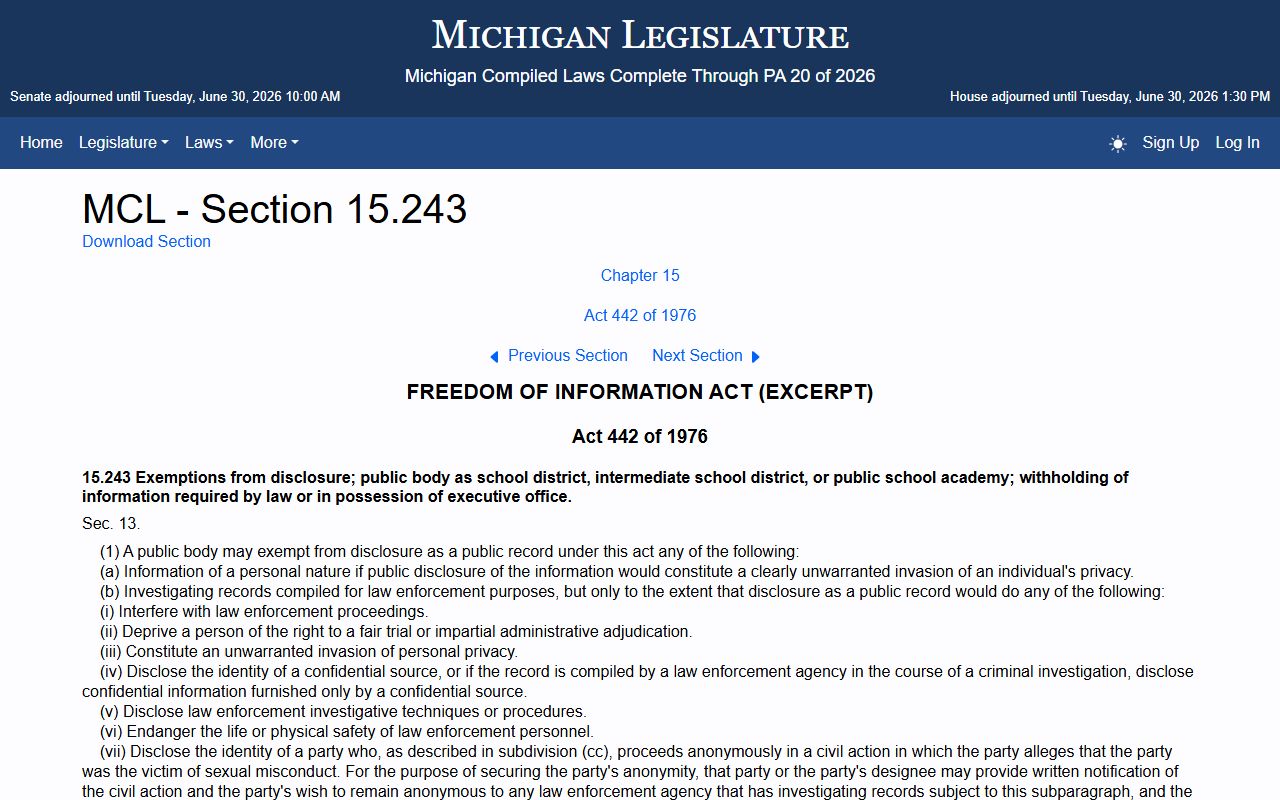
Beyond FOIA, specific statutes shield certain court matters. Juvenile records are restricted under MCL 712A.28, so juvenile delinquency and abuse or neglect files do not follow the adult release pattern. Criminal convictions can be set aside, or expunged, under MCL 780.621, which means an old charge or conviction may no longer appear in a public search. To view a sealed file, a person generally must show a legal basis and ask the court that holds it, since sealed matters are not open on request.
In-Person Court Record Requests
When an online search is not enough, the county building on East Huron Avenue in Bad Axe is the in-person stop. The county clerk processes circuit court records and vital records from Room 201, and the District Court is one floor away. An online public research terminal sits on the second floor across from Room 207, giving anyone a free way to run a case search without a home computer. Bring a photo ID, the party name or case number, and the fee for any copies you need.
The District Court file, copy, and record request form is the local fallback for file reviews and copies. It breaks a request into a file or copy request, civil record creation, or record compilation, and it lets you name the case type and date range. Record creation or compilation costs the actual cost but not less than $5 per request, copies run $1 per page, and certified or exemplified records cost $10 plus $1 per page. A request for a non-public record must be signed in person with identity verified. For certified copies and other clerk services, the Clerk of Court office is the primary contact.
Huron County Clerk
Lori Neal Wonsowicz
250 East Huron Avenue, Room 201
Bad Axe, MI 48413
989-269-9942
Monday to Friday, 8:30 a.m. to 4:30 p.m.